
Your whole network,
on one plate.
A native macOS app for network discovery, host inventory, server reconciliation and API testing — scan the LAN you're on, remember every device across the networks you visit, fingerprint OS & service versions, and manage your servers over SSH.
Universal · macOS 26 (Tahoe) or later · Developer ID build (un‑sandboxed)
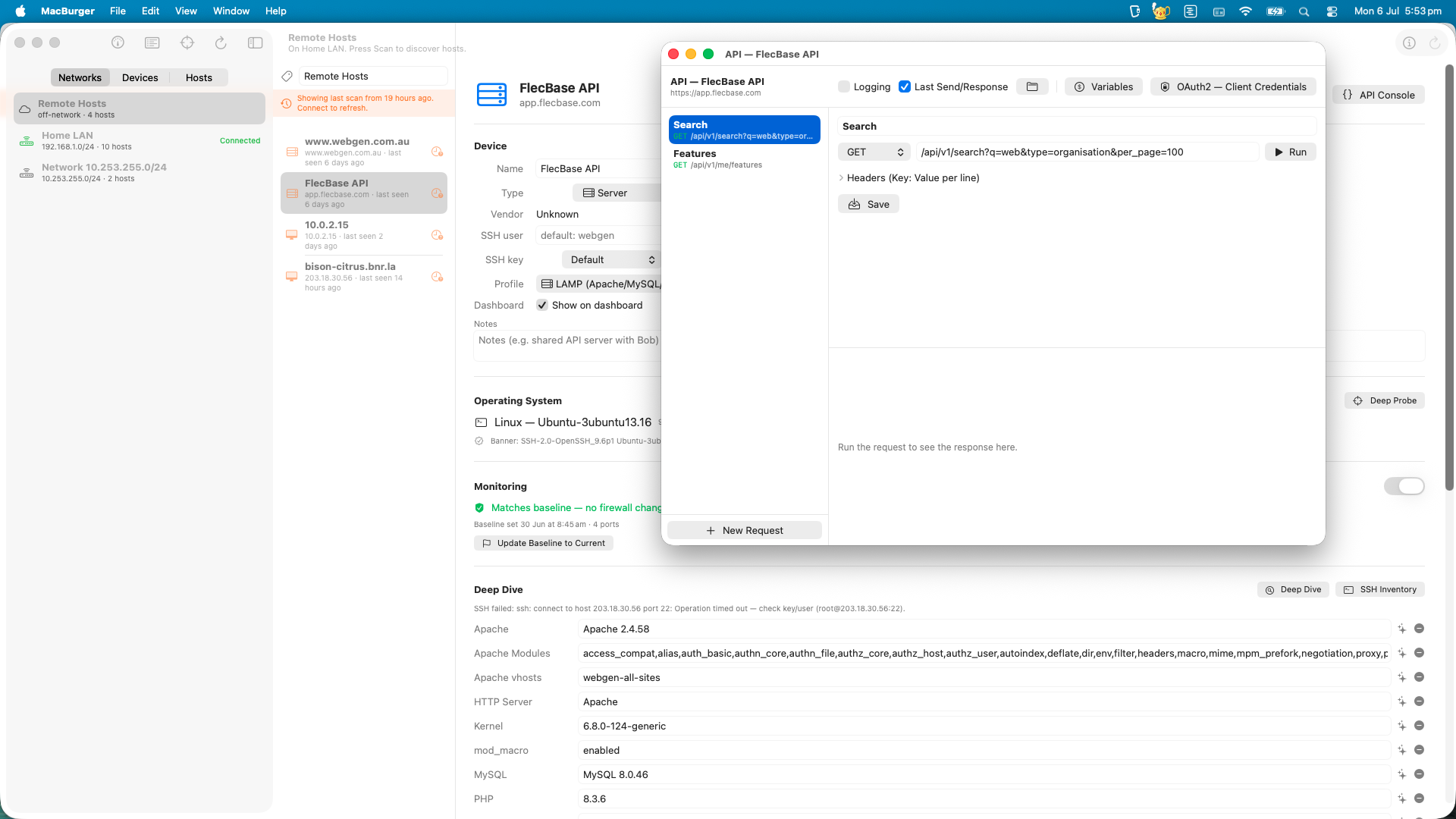
Everything you reach for after "who's on my network?"
Discovery is just the start. MacBurger keeps a durable inventory, digs into each host, and lets you actually operate on it.
Network discovery
Subnet detection, a TCP sweep that forces ARP resolution, then an ARP‑table read for the authoritative IP↔MAC list — even firewalled hosts show up.
OS & service fingerprinting
Passive port‑signature + Bonjour + vendor guess during a scan; a deep probe adds banner grabbing, NetBIOS and ICMP‑TTL with confidence and evidence.
Durable inventory
Devices are keyed by MAC and follow you across networks. The same laptop on Home and Uni is one device with multiple time‑stamped sightings.
Deep dive & SSH inventory
HTTP fingerprint (Server, PHP, WordPress/Laravel/Drupal); key‑auth SSH reads OS, kernel, PHP modules, Apache vhosts & modules, MySQL and pending updates.
Probe IP & remote hosts
Scan any IP or hostname — firewalled ghosts, static IPs, cloud VMs. Off‑LAN results collect under a virtual Remote Hosts group.
Firewall monitoring
Set a port baseline on any host and watch for drift — a green shield when it matches, a red +N −M when ports open or close.
API console
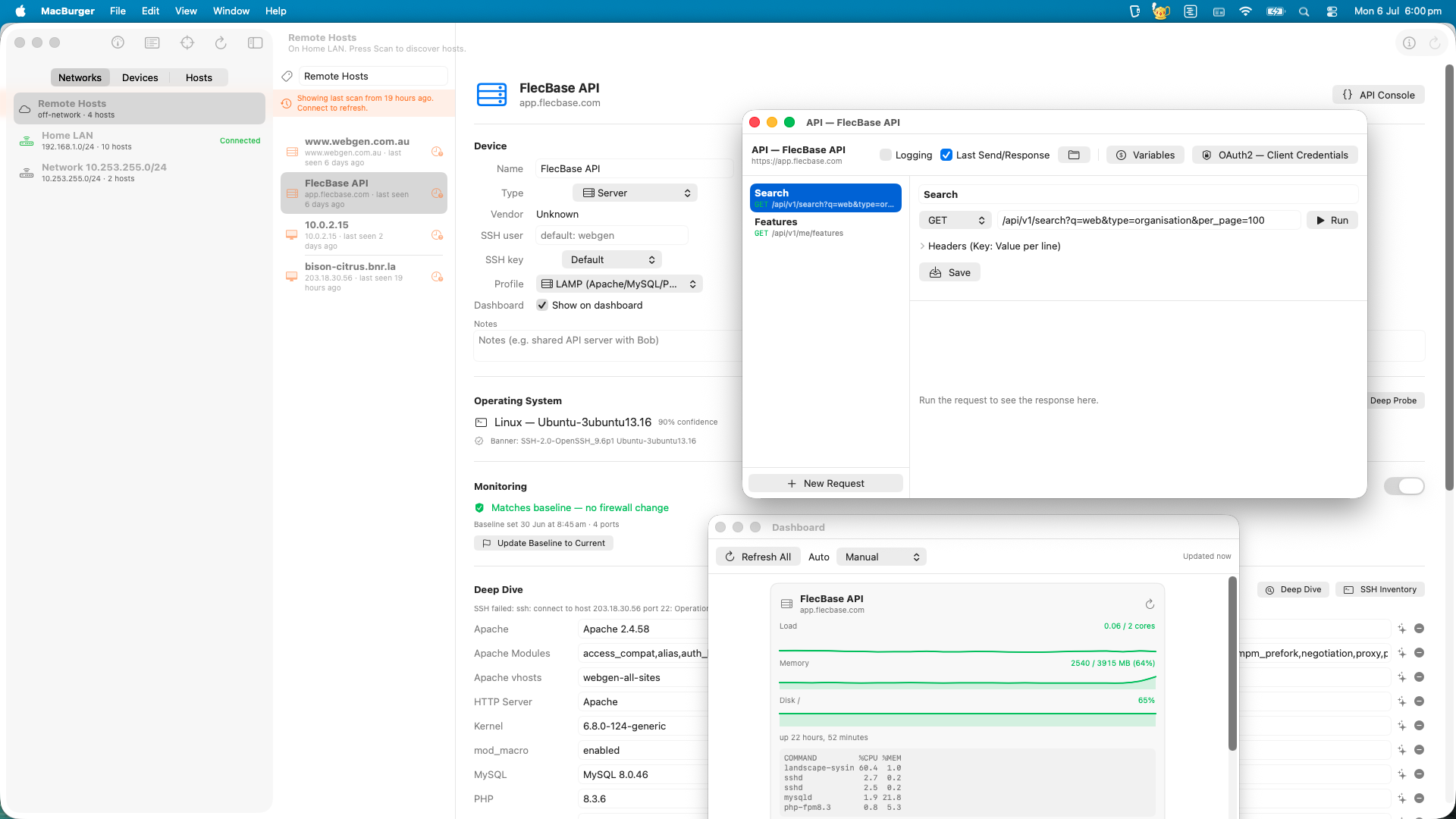
A per‑host, multi‑window request runner: saved requests, JSON body editor, Bearer/Basic/API‑key/OAuth2, nested variables, JSON→CSV column export and logging.
Metrics dashboard
Flag a server to pull SSH snapshots — load, CPU, RAM, disk, uptime, top processes — as trend cards. A reconciliation view, not 24/7 monitoring.
Inventory report & updates
Network‑wide "what do I need to patch" table with CSV export, plus one‑package apt upgrades with a command preview and per‑run sudo password.
Four familiar tools, one native Mac window
Three entities, each with a stable identity
Because IPs move but hardware doesn't, MacBurger separates the machine, the network, and each appearance.
The physical machine
Identity = MAC, global across every network. Carries name, type, OS guess, notes and SSH/API settings wherever it shows up.
A specific LAN
Identity = gateway MAC + IP range, so "Home" and "Uni" stay distinct even on the same subnet. Captures DHCP/DNS config too.
One appearance
A device on a network at a point in time — the IP and open ports seen there. Firewalls differ per network, so ports live on the sighting.
Use responsibly. MacBurger is built for your own networks and hosts you're authorised to inspect. Scanning or logging into machines you don't administer may breach acceptable‑use policies or the law, even while you're connected to the network. Secrets are stored locally; sudo passwords are entered per run and never saved.